

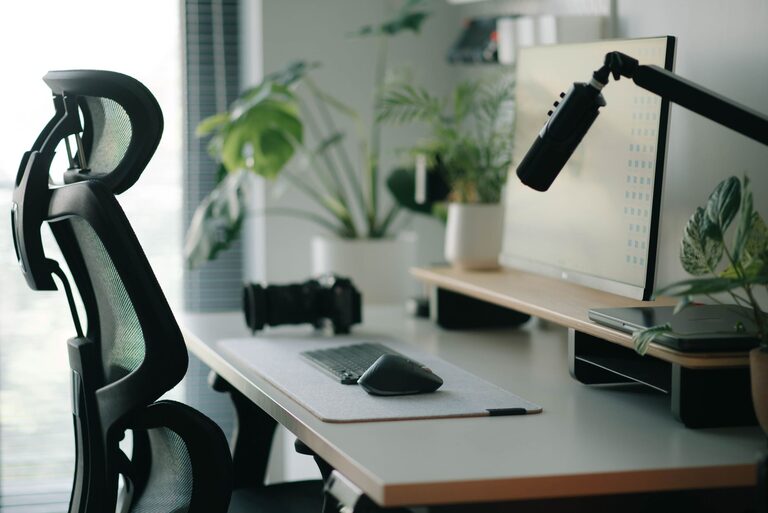
A well-planned desk setup can make everyday work feel easier. Your desk does not need to be expensive or filled with the latest accessories. Small changes to your chair, screen, lighting, and storage can help you stay focused and comfortable throughout the day.
The best setup is one that fits your work habits, available space, and personal preferences. Use the tips below to create a workspace that feels organized, practical, and easy to maintain.
Start With the Desk and Chair
Your desk and chair form the foundation of your workspace. Before adding accessories, make sure these two pieces work well together.
Choose a desk with enough space for your main equipment, such as:
– A computer or laptop
– A keyboard and mouse
– A notebook or planner
– A drink
– Any tools you use regularly
Avoid filling every inch of the desktop. Open space makes it easier to work and helps prevent the area from feeling cluttered.
Your chair should allow you to sit with your feet resting comfortably on the floor. If your feet do not reach the floor, consider using a stable footrest or a sturdy box designed for this purpose. Adjust the chair so you can sit upright without feeling pushed too far forward or leaning back excessively.
If possible, choose a chair with adjustable height. This makes it easier to match the chair to your desk and screen rather than trying to work around an awkward position.
Position Your Screen Carefully
Screen placement has a major effect on comfort and focus. Place your monitor directly in front of you instead of at a sharp angle. This helps you avoid constantly turning your head while working.
A useful starting point is to position the top of the screen near eye level. You may need to adjust this based on the size of the monitor, your glasses, and the way you naturally sit. The screen should be far enough away that you can read without leaning toward it.
For a laptop, consider using a stand or a stack of stable books to raise the screen. If you do this, connect an external keyboard and mouse so you can keep your hands at a comfortable height.
Also check the screen angle and brightness. Reduce glare by moving the screen away from direct sunlight or bright lamps. Adjust the brightness so the display is easy to read without looking noticeably brighter than the room.
Use More Than One Screen With Care
Multiple monitors can be useful for comparing documents, researching topics, or managing communication tools. However, they can also create distractions.
Keep your primary screen directly in front of you. Place a secondary screen beside it and angle it slightly toward your chair. Try to keep the most important tasks on one screen and less urgent information on the other.
Keep Your Keyboard and Mouse Close
Place your keyboard and mouse where you can use them without reaching forward. Your elbows should stay relatively close to your sides, and your hands should feel relaxed while you work.
If you use a laptop keyboard for long periods, an external keyboard can give you more flexibility. A separate mouse may also be easier to control than a trackpad for tasks that require frequent clicking or precise movement.
You do not need to buy specialized equipment immediately. Start by checking whether your current tools are positioned comfortably. Simple changes, such as moving the mouse closer or clearing space around the keyboard, can make a noticeable difference.
Improve Your Lighting
Good lighting helps you read your screen and paperwork more easily. Natural light can make a workspace feel pleasant, but direct sunlight may create glare or make the screen difficult to see.
Place your desk so windows are to the side of your screen when possible. If the window is behind the screen, reflections may appear on the display. If it is directly behind you, your shadow may fall across the desk.
Add a desk lamp for cloudy days, evening work, or tasks that require reading printed material. Choose a lamp that lights the work area without shining directly into your eyes. Adjustable lamps are useful because you can change their position as needed.
Reduce Clutter and Visual Distractions
A tidy desk can make it easier to begin a task and stay with it. Clutter is not always a problem, but items that do not support your current activity can compete for attention.
Keep frequently used items within easy reach and store everything else nearby. Helpful storage options include:
– Small trays for pens and cables
– A drawer organizer
– A vertical file holder
– A shelf for books and reference materials
– A container for chargers and adapters
Try a simple end-of-day reset. Return items to their usual places, clear unnecessary papers, and prepare the materials you will need the next morning. This creates a clean starting point without requiring a major cleaning session.
Manage Cables and Devices
Cables can quickly make a workspace look messy and make cleaning more difficult. Group cables by device and label chargers when several look alike.
Use cable clips, reusable ties, or a cable box to keep cords organized. Avoid pulling cables tightly or placing them where they can become a tripping hazard. Keep power strips in an accessible location rather than burying them behind furniture.
If you regularly use a phone while working, decide where it belongs. A stand placed to the side of the desk can keep the phone visible without encouraging constant checking. For tasks that require deep concentration, place it farther away or activate a focus setting.
Create a Focus Friendly Layout
Arrange your desk according to how you work. Keep the tools for your main task in the central area. Place optional tools, reference materials, and personal items farther to the side.
For example, a writing setup might include:
– A centered keyboard and screen
– A notebook on the preferred writing side
– A pen holder within easy reach
– Headphones stored on a hook
– Reference books on a nearby shelf
You can also create separate zones for different activities. One side of the desk might be used for computer work, while another is reserved for planning or reading. Clear zones make it easier to switch tasks without rearranging the entire workspace.
Add Small Comfort Features
Personal touches can make your desk more inviting, as long as they do not create clutter. Consider adding a small plant, a framed photo, or a simple piece of art.
Other useful additions may include:
– A reusable water bottle
– A soft desk mat
– A footrest
– A monitor stand with storage
– Noise reducing headphones
– A small clock or timer
Choose items that support your work rather than simply filling the space. If an accessory does not improve comfort, organization, or focus, it may not belong on the desk.
Build Better Work Habits
Even a carefully arranged desk works best when paired with regular breaks and simple routines. Change tasks occasionally, stand up between work sessions, and look away from the screen from time to time.
Keep a short list of priorities near your keyboard so you know what to focus on first. You can also use a timer to work in planned blocks, followed by brief pauses. This helps prevent the day from becoming one long, unfocused session.
Review your setup after a week. Notice what feels inconvenient, what you rarely use, and where distractions appear. Then make one or two adjustments. A comfortable workspace develops gradually as you learn what supports your routine.
The goal is not to create a perfect desk. It is to build a space that makes your work easier to start, simpler to manage, and more comfortable to continue.